
1. Where Can You Do Digital Invitations?
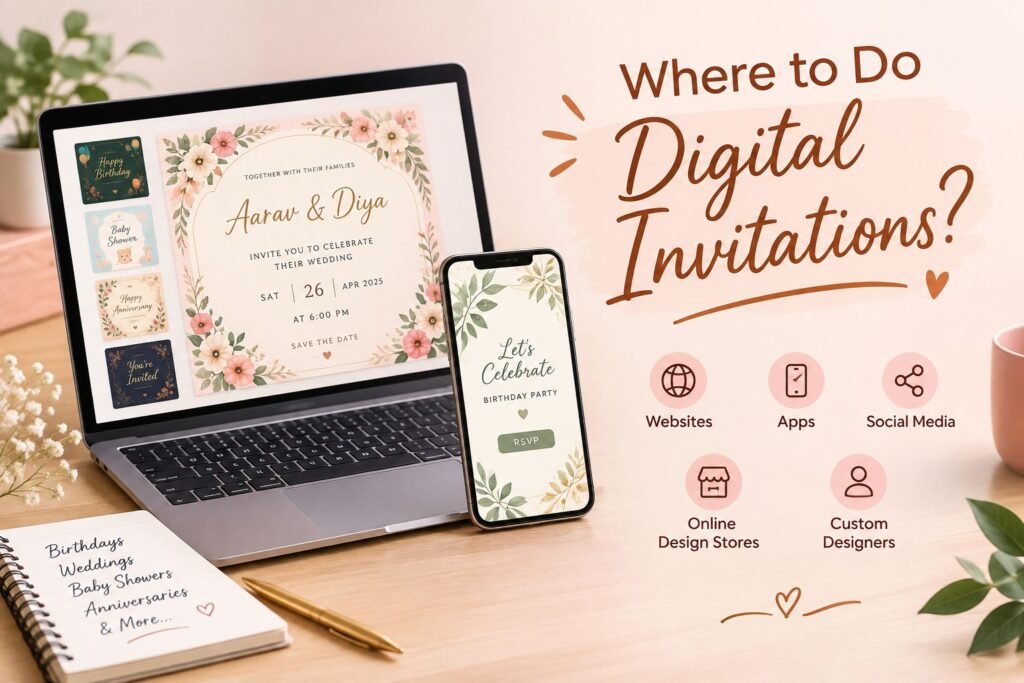
Digital invitations are now a popular way to invite people to an event. They are easy to create and easy to share. You do not need to print them or deliver them by hand.
So, where can you do digital invitations?
You have several options. You can make an invitation yourself. You can use an online design platform. You can also hire a professional designer or use a digital invitation website.
Online Design Platforms
Online design platforms are a good choice if you want to create the invitation yourself. Many platforms offer ready-made templates. You can choose a design and change the details.
You can add:
- Names
- Date and time
- Event details
- Photos
- Colors
- Fonts
- Other design elements
This option works well if you enjoy designing. It can also be a good choice if you want to create a simple invitation on your own.
Digital Invitation Websites
You can also use a professional digital invitation website. These websites focus on creating invitations for different events.
You can choose the type of event and share your requirements. The designer can then create the invitation for you.
You may also ask for changes to the design. You can select the colors, theme, text, photos, and other details.
This option is useful if you want a professional design but do not want to create it yourself.
Freelance Designers
Another option is to hire a freelance designer. A freelance designer can create a custom invitation based on your ideas.
Before choosing a designer, check their previous work. You should also ask about the price, number of changes, and delivery time.
Local Designers
You can also contact a local graphic designer. Many designers offer digital invitation services.
A local designer can be useful if you prefer to discuss your ideas directly. You can explain your event and show the designer examples of designs you like.
You can create digital invitations for many events. These include birthdays, weddings, engagements, baby showers, anniversaries, housewarming parties, kitty parties, and other celebrations.
The best option depends on your needs. If you want to design the invitation yourself, you can use an online design platform. If you want someone else to create it, you can choose a professional invitation website or designer.
2. What Are Digital Invitations?
A digital invitation is an invitation that you create and send online. It does not need to be printed on paper.
A digital invitation contains the main details about an event. These details can include the name of the event, date, time, venue, and contact information.
Digital invitations can have different formats. You can create them as an image, PDF, video, or animated invitation.
For example, you can create a simple birthday invitation as an image. You can also create a wedding invitation with photos and animation. A video invitation can include music, moving text, and other effects.
One of the main benefits of digital invitations is that they are easy to share. You can send them to your guests through WhatsApp, email, Instagram, Facebook, or other online platforms.
Digital invitations are also easy to customize. You can choose a theme that matches your event. You can change the colors, fonts, photos, and text.
For example, you can use bright colors for a birthday invitation. You can choose an elegant design for a wedding. You can use soft colors and cute designs for a baby shower.
You can also add useful information to a digital invitation. This may include an RSVP number, location link, dress code, or other instructions.
Digital invitations can save time too. You can send the same invitation to many people within a few minutes. You do not need to print several copies or visit each guest.
They can also help when your guests live in different cities or countries. You can send the invitation to them online from anywhere.
In simple words, digital invitations offer an easy way to invite people to an event. You can create a design that matches your occasion and share it with your guests online.
3. Where Can You Make Digital Invitations?
You can make digital invitations in many ways. The best option depends on your needs and design skills.
Make Invitations Online
Many online design tools let you create digital invitations. You can choose a template and edit it.
You can add your own text, photos, colors, and other details. You can also change the font and layout.
This option works well for people who want to make their own invitations.
Use a Professional Invitation Service
You can also use a professional digital invitation service. These services create invitations based on your requirements.
You can tell the designer about your event. You can also share your preferred colors, theme, and style.
The designer can then create the invitation for you. You can ask for changes if needed.
This option saves time. It is also useful if you do not have design skills.
Hire a Freelance Designer
A freelance designer can create a custom invitation for you. You can share your ideas and event details with the designer.
The designer can create a design based on your needs.
Before hiring a freelancer, check their previous designs. Also ask about their price, delivery time, and revision policy.
Create Invitations on Your Phone
You do not always need a computer to create a digital invitation.
Many design tools work on smartphones. You can choose a template and edit it from your phone.
This makes the process simple. You can create and share the invitation from the same device.
4. Can You Make Digital Invitations at Home?
Yes, you can make digital invitations at home.
You only need a few basic things. You need a smartphone or computer and an internet connection. You also need a design tool or invitation template.
Start by choosing the type of event. Then choose a design that matches the event.
For example, you can choose a fun design for a birthday. You can choose an elegant design for a wedding. You can use soft colors for a baby shower.
Next, add the event details. Check the spelling of names and other important information.
You should also check the date and time carefully. A small mistake can confuse your guests.
You can then add photos or other design elements. Keep the design clean and easy to read.
Once the design is ready, save it in the right format. You can then send it to your guests.
Making an invitation at home can save money. It also gives you more control over the design.
However, creating a professional design can take time. If you want a unique or detailed invitation, you may prefer to work with a professional designer.
5. Where Can Digital Invitations Be Used?
You can use digital invitations for almost any event.
Birthday Parties

You can create digital invitations for children’s and adults’ birthdays. You can choose a theme based on the person’s age or interests.
Weddings

Digital wedding invitations are useful for sharing wedding details with guests. You can add the wedding date, venue, time, and other information.
You can also add photos and location details.
Baby Showers
You can create a cute and simple invitation for a baby shower. You can choose colors and designs that match the theme of the event.
Anniversaries
Digital invitations also work well for anniversary celebrations. You can add photos of the couple and a personal message.
Engagements
You can use a digital invitation to invite friends and family to an engagement party or ceremony.
Housewarming Parties
A digital invitation can help you share your new address and event details with your guests.
Kitty Parties
You can create fun and colorful invitations for kitty parties. You can match the design with the theme of the party.
Other Events
Digital invitations can also work for:
- Religious events
- Retirement parties
- Graduation parties
- School events
- College events
- Corporate events
- Family gatherings
- Festival celebrations
You can change the design based on the event. This makes digital invitations suitable for many occasions.
6. What Should a Digital Invitation Include?
A good digital invitation should give guests all the important information.
Start with the name of the event. Make it clear and easy to see.
Then add the main event details.
These may include:
- Host name
- Event date
- Event time
- Venue
- Address
- RSVP details
- Contact number
- Dress code
- Special instructions
You can also add a location link. This can help guests find the venue easily.
Photos can make the invitation more personal. You can add a couple’s photo to a wedding invitation. You can add a family photo to an anniversary invitation.
The design should also match the event. Choose colors and fonts that are easy to read.
Avoid adding too much text. Keep the important information clear.
Before sending the invitation, check all the details. Make sure the names, dates, times, and contact details are correct.
A clear and well-designed invitation helps your guests understand the event quickly.
7. How Much Does It Cost to Make a Digital Invitation?
The cost of a digital invitation can vary. It depends on the type of invitation and the design you choose.
You can make a simple invitation yourself. Some online tools offer free templates. This can be a good option if you have a small budget.
A custom invitation may cost more. A professional designer creates the design based on your needs. You may also get more options for colors, fonts, photos, and themes.
Video and animated invitations may have a different price. They can take more time to create.
The price can also depend on:
- The type of design
- The amount of customization
- Number of changes
- Use of photos or graphics
- Video or animation
- Delivery time
Before you order an invitation, ask about the total price. Also check what the price includes.
Some designers may include a limited number of changes. Others may charge extra for more changes.
Choose an option that fits your budget and needs. A simple invitation can work well for a small event. A custom design can be a better choice when you want something more personal.
8. How to Choose the Right Place for Digital Invitations?
You can find many options for digital invitations. So, choosing the right one can feel difficult.
Start by checking the design quality. Look at the designer’s previous work. This can help you understand their style.
Next, check the customization options. Make sure you can add the details you need.
You should also compare prices. Do not choose an option only because it is cheap. Check what you get for the price.
Delivery time is also important. Ask when you will receive the final invitation.
You should also ask about changes. Find out how many changes the designer allows.
Here are some things to check before choosing a digital invitation service:
- Design quality
- Customization options
- Price
- Delivery time
- Revision policy
- File format
- Customer reviews
- Communication
Also check if the final invitation works well on mobile phones. Most people will view digital invitations on their phones.
Choose a service that understands your needs. A good designer should listen to your ideas and create a design that suits your event.
9. Digital Invitation vs Printed Invitation
Both digital and printed invitations have their own benefits.
A printed invitation comes on paper. You need to print and deliver it to your guests.
A digital invitation does not need printing. You can send it online within a few minutes.
Here are some basic differences:
| Digital Invitation | Printed Invitation |
|---|---|
| Shared online | Shared physically |
| No printing needed | Requires printing |
| Easy to send | Needs physical delivery |
| Can be sent quickly | May take more time |
| Easy to update before sending | Changes may need reprinting |
| Can include video or animation | Usually uses a static design |
Digital invitations can be a good choice when you want a quick and easy option. They also work well when your guests live in different places.
Printed invitations may be better if you like traditional cards. They can also work well for events where guests expect a physical invitation.
The right choice depends on your event and personal preference.
10. How to Send a Digital Invitation?
Once you create your digital invitation, you need to send it to your guests.
You have many ways to share it.
WhatsApp is one of the easiest ways to send digital invitations. You can send an image, PDF, or video directly to your guests.
You can also share the invitation with a group if you are inviting many people.
You can send digital invitations through email. This can work well for formal events and business events.
You can attach the invitation to the email. You can also add a short message for your guests.
Instagram and Facebook
You can share digital invitations on social media. This can work well for casual events and parties.
You can send the invitation through a private message. You can also share it as a story or post when suitable.
Telegram and Other Apps
You can also use Telegram and other messaging apps to share your invitation.
Choose the method that your guests use most often.
Before sending the invitation, check the file. Make sure all the event details are correct.
Also make sure the image or video looks clear on a mobile phone.
A good digital invitation should be easy to open, read, and share.
11. Why Choose a Customized Digital Invitation?
A customized digital invitation can make your event feel more special. You can create a design that matches your event and your personal style.
You can choose your own colors, fonts, photos, and theme. You can also add your name and other event details.
For example, you can choose a fun theme for a birthday party. You can use an elegant design for a wedding. You can also use a cute theme for a baby shower.
Customized invitations also give you more freedom. You do not have to use the same design as everyone else.
You can add personal photos and messages. You can also choose a design that matches your event decoration.
Digital invitations are also easy to share. You can send them through WhatsApp, email, or social media.
Another benefit is speed. You do not have to wait for printing. You can receive the final design and send it to your guests online.
You can also save the invitation on your phone. This makes it easy to send it again when needed.
A customized digital invitation can be a good choice if you want something simple, personal, and easy to share.
12. Conclusion: Where Should You Do Your Digital Invitation?
There are many ways to create a digital invitation. You can make one yourself with an online design tool. You can also use a professional digital invitation service or hire a designer.
The best option depends on what you need.
If you enjoy designing, you can create the invitation yourself. This gives you more control over the design.
If you want to save time, you can choose a professional service. A designer can create the invitation for you based on your requirements.
Digital invitations work well for many events. You can use them for birthdays, weddings, baby showers, anniversaries, engagements, housewarming parties, and more.
They are easy to customize and easy to share. You can send them through WhatsApp, email, and social media.
You can also choose different formats. You can use an image, PDF, video, or animated invitation.
Before choosing a service, check the design quality, price, delivery time, and customization options. Also make sure the final invitation has all the correct event details.
If you are looking for a simple and personalized way to invite your guests, a digital invitation can be a great option. With the right design and clear information, you can create an invitation that your guests will enjoy receiving.
